Paving and sealcoating software, free.
Crewtavo takes a driveway or a parking lot from an address to a paid invoice. Do the takeoff on the aerial, price it by the ton and square foot from your own list, send a proposal the client signs online, and put the job on a crew’s day. Free for any size of business, with no per-seat fees.
Start from a price list. Pick Paving & Sitework when you set up, and these load as a first draft. Change any of them.
Paving & Sitework preset
Driveways, lots and sealcoat, priced by the ton and square foot.
Residential, commercial and municipal paving, sealcoating, striping, grading and stonework, plus subcontract work for general contractors.
Quote formula · Hot-mix asphalt tons
= asphalt_sqyd × depth_in × 110 ÷ 2000
Checklists: Driveway quality check. Weather rules hold hot-mix asphalt below its minimum temperature, and give sealcoat the dry hours it needs.
See it at work. A paving company’s week, a quote and a crew lead’s phone, from the app itself.
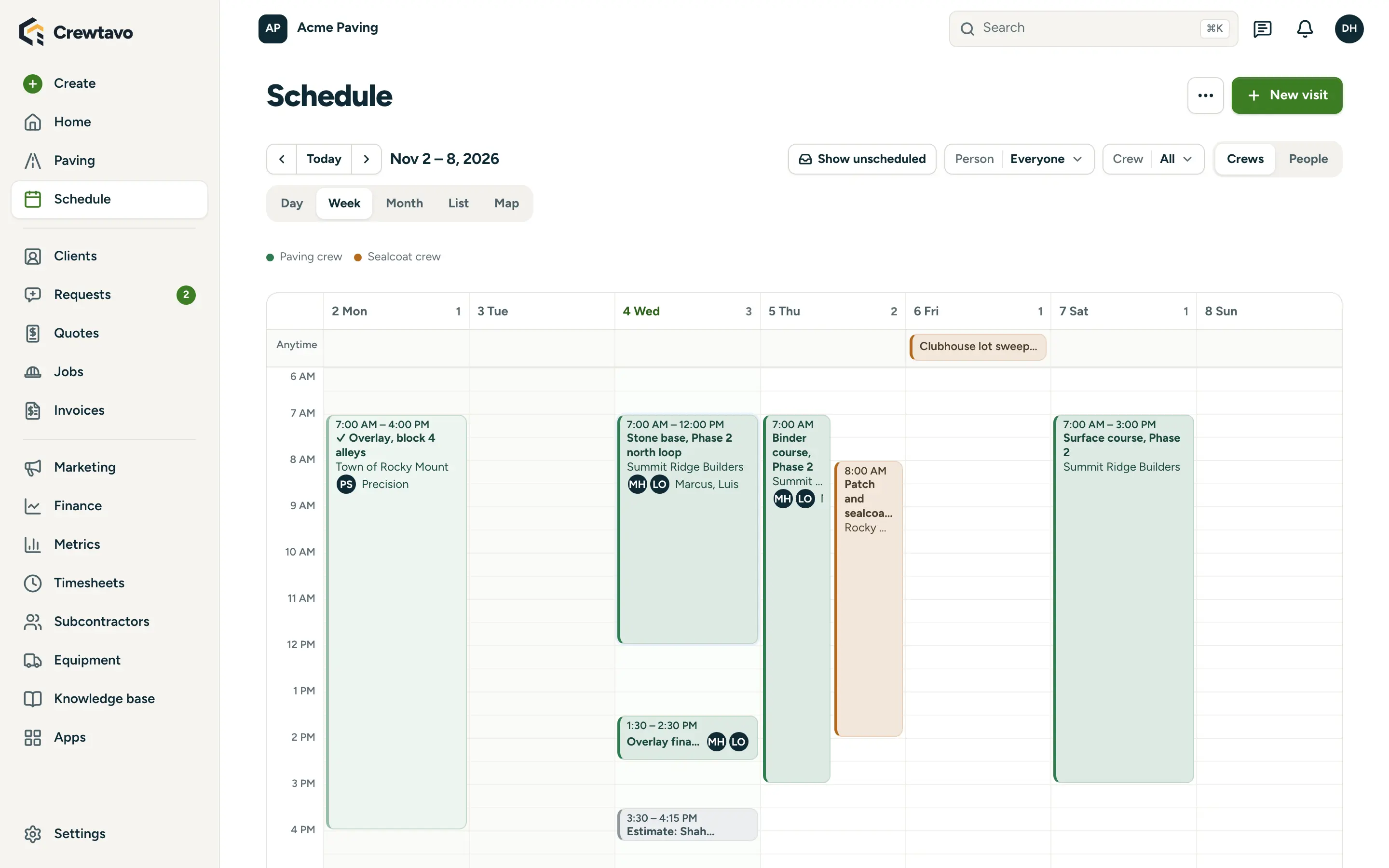
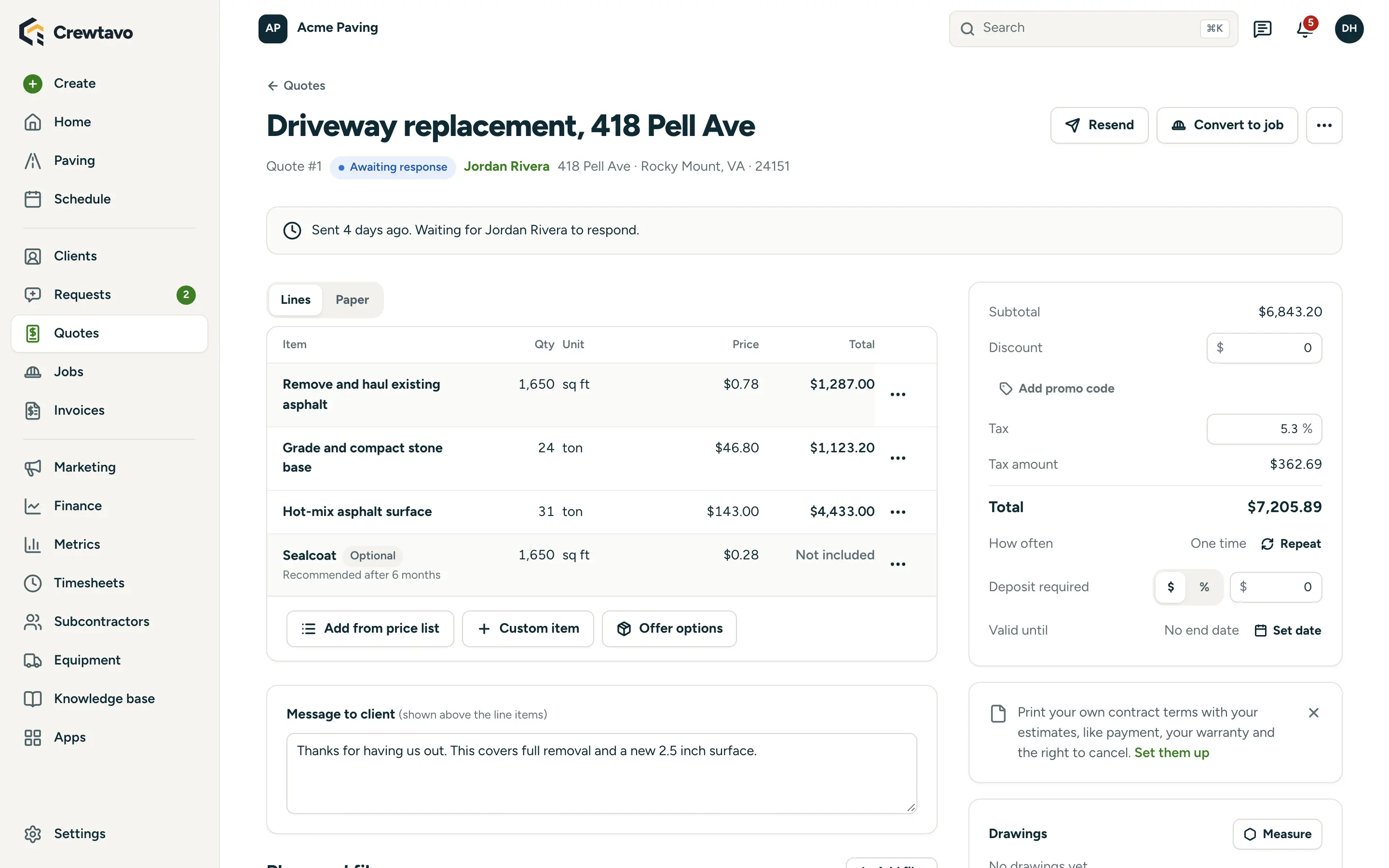
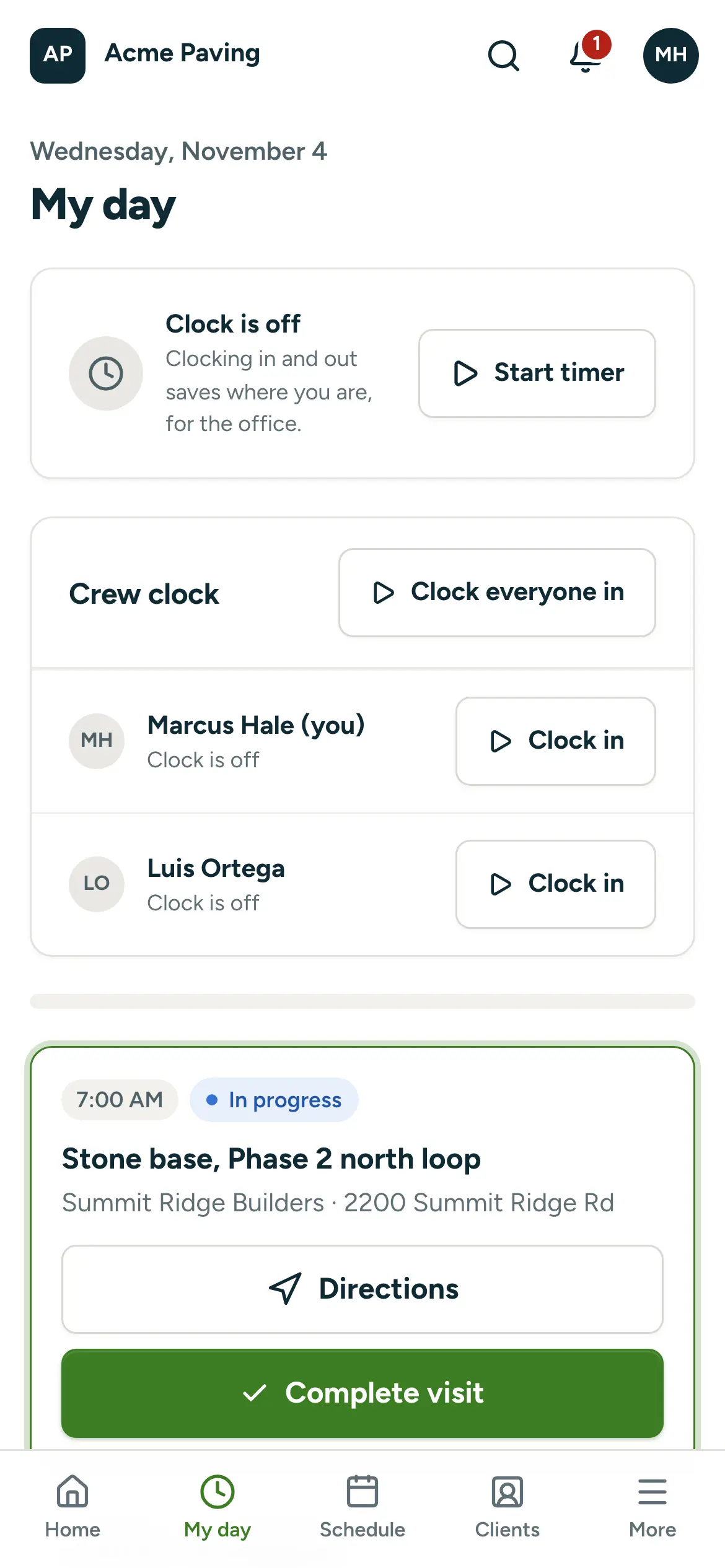
Everything a paving and sealcoating company does, in one place.
From the first request to the paid invoice, each part of the job has its place, so nothing is typed twice.
Included, no add-ons. Tools many service businesses pay for separately come built in.
-
Find paving
Free, with no account: put a box round a lot and it’s outlined on your own computer or phone.
-
Stall rows
One line along a row of 40 stalls, not 40 taps: it counts a stall every 9 ft and the lines between them.
-
A takeoff sheet
The drawing on the aerial with a true scale bar, a north arrow and every item’s quantity, on the proposal.
-
Plans and files
Plan sets, specs, permits and addenda on the request, job and property, so next year’s restripe has the plan.
-
Weather holds
Rules for the conditions each kind of work needs, with visits flagged before the crew rolls out.
-
Job profitability
Each job’s labor, expenses and materials against its contract total, flagged when it’s under your target margin.
Is Crewtavo right for you? An honest take.
Crewtavo is a great fit if
- You bid driveways, sealcoating, striping and parking lots from the aerial
- You want the takeoff, estimate, proposal and invoices on one page
- You run separate paving, sealcoat and striping crews
- You’d rather not pay by the takeoff or the seat
Something else may suit you better if
- You bid new construction from civil plans
- You want a team to draw every takeoff for you
- You want a fully managed service with nothing to own
Read next. Free tools, comparisons and guides for paving and sealcoating companies.
- Free tool Free paving takeoffs Box a parking lot and the asphalt is outlined in your browser. Count stalls by the row and price the takeoff from your own list. Read more
- Guide Bid a paving job from the aerial The Paving section, step by step: takeoff, estimate, proposal, schedule and invoice for a job on one page. Read more
- Guide Upload and manage plans for a job Keep plan sets and permits on the job and the property, and replace sheets when new versions come in. Read more
- Compare Crewtavo vs. Jobber Home service software priced by plan, with a set number of users on each. Read more
Paving and sealcoating software FAQ.
Is there free sealcoating software?
Crewtavo is free for any size of business, with every feature included and no per-user fees. It’s open source and runs in your own Railway account, which you pay directly: Railway’s Hobby plan is $5 a month and includes $5 of usage.
How does it work out tons of asphalt?
With a formula on your price list. The starter one is square yards × depth in inches × 110 ÷ 2,000, the usual 110 lb per square yard per inch of hot-mix, and you can change it.
Can I do parking lot takeoffs from satellite images?
Yes. Put a box round the lot and Find paving outlines the asphalt in your browser, parked cars included and buildings left out. Draw a stall row along each row of parking and it counts a stall every 9 ft.
Can a general contractor send me their plans?
Yes. Add a plans question to a booking form and they attach their plan set when they ask for a bid. Files stay on the request, quote, job and property, and a new sheet replaces the old one with the old version kept.
Is there a mobile app for my crew?
Crews use My day in their phone’s browser and can add it to the home screen like an app. It shows the day’s visits with gate codes, checklists, photos, timers, and on my way, start and complete buttons.
Does Crewtavo work with QuickBooks?
Yes. Crewtavo sends invoices and payments to QuickBooks Online, and it also connects to Zoho Books.
Bid it, pave it, get paid.
Free for any size of business. Deploy Crewtavo to your own Railway account, pick Paving & Sitework, and do your next takeoff from the aerial.